How to Delete Your Account
You can permanently delete your Ride Companion account and all associated data directly from the mobile app by following the steps below.
This action is permanent and cannot be undone.
Deleting your account will permanently remove all your ride history, receipts, saved places, and profile information. You will need to create a new account if you wish to use Ride Companion again.
Step-by-step guide
Open your Profile
Open the Ride Companion app and tap your profile icon to open the Profile / Settings menu. Scroll to the bottom of the menu and tap "Delete account".
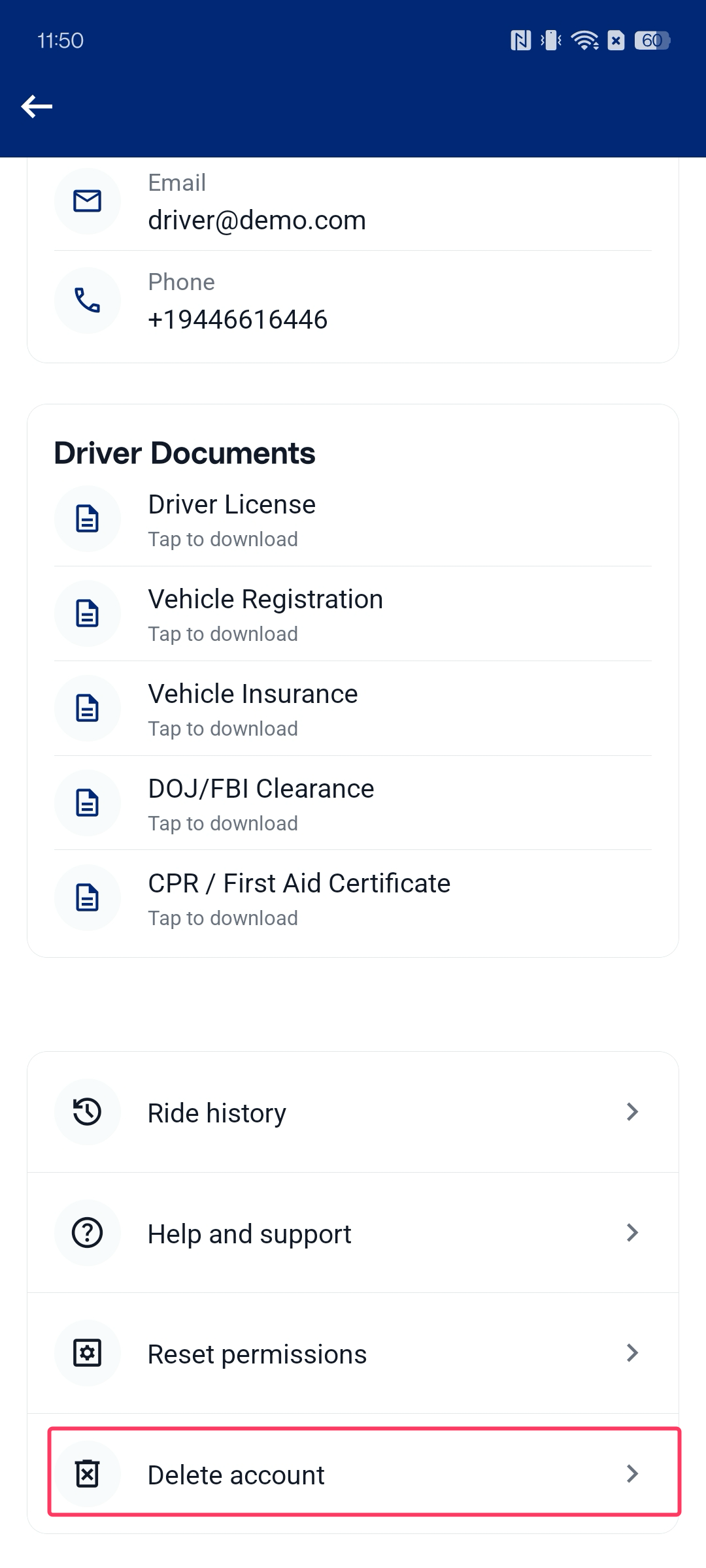
Profile screen — tap "Delete account" at the bottom of the menu
Review what will be deleted
The Delete Account screen will appear, showing you a summary of everything that will be permanently removed from your account. Review the information carefully, then tap the red "Delete account" button to proceed.
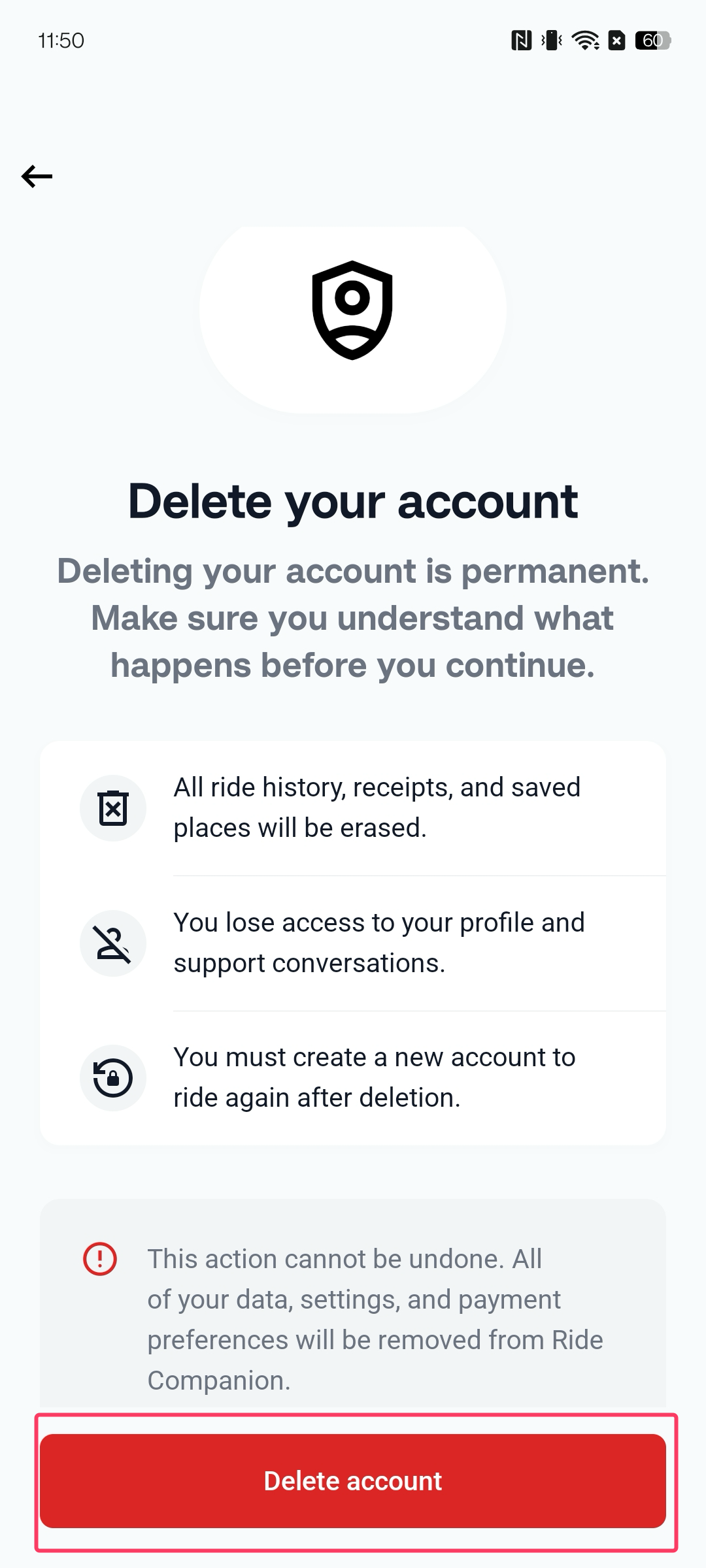
Delete Account screen — review the information and tap the red button
Confirm the deletion
A confirmation dialog will appear asking you to confirm that you want to permanently delete your account. Tap "Delete account" to confirm, or "Cancel" to go back.
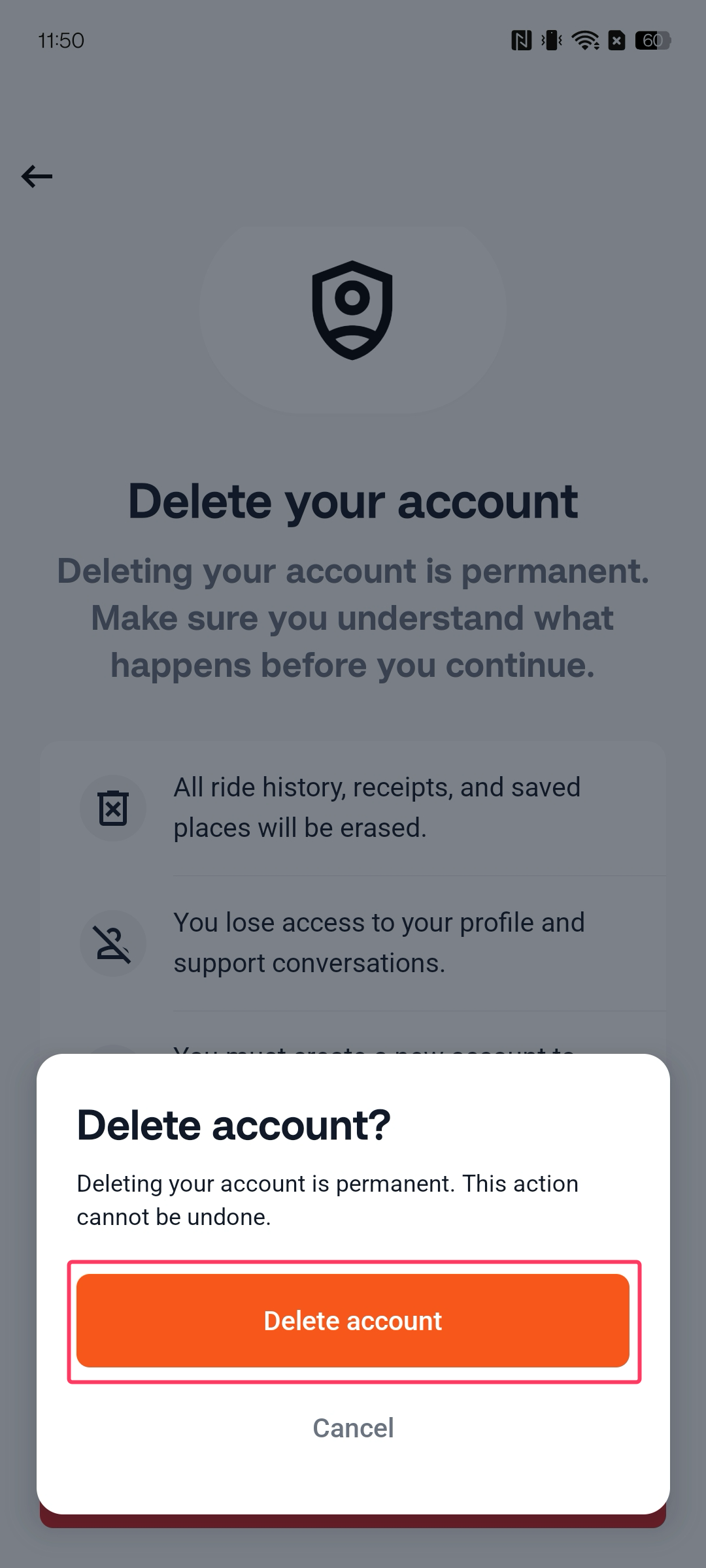
Confirmation dialog — tap "Delete account" to permanently delete your account
What data is deleted
- All ride history and receipts
- Saved places and addresses
- Profile information and account credentials
- Access to support conversations
Some data may be retained for a limited period as required by law or to resolve outstanding disputes. See our Privacy Policy for details on data retention.
Need help?
If you are having trouble deleting your account or would like to request deletion by email, please contact our support team and we will process your request within a reasonable timeframe.
support@myridecompanion.com